
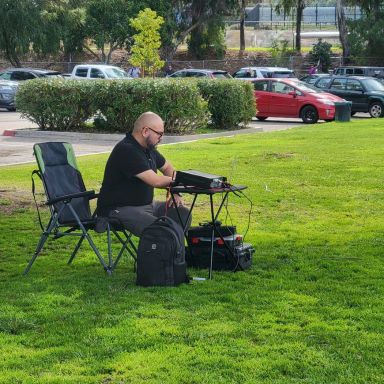
# Exploring SDR in Ham Radio
Software Defined Radio (SDR) has revolutionized the way amateur radio operators engage with the hobby. By leveraging software for signal processing and control, SDR offers a level of flexibility and functionality that traditional radios cannot match. In this article, we’ll delve into what SDR is, its advantages, and how you can get started in the world of SDR ham radio.
## What is SDR?
SDR is a radio communication system that uses software to perform functions traditionally handled by hardware. In an SDR setup, much of the signal processing—such as modulation, demodulation, filtering, and decoding—is done via software running on a computer or dedicated hardware. This allows for an incredibly versatile and adaptable operating environment.
### Key Components of SDR
- 1.
**Hardware**: The hardware typically includes a radio receiver or transceiver capable of digitizing incoming radio signals. Popular options include the HackRF, RTL-SDR dongles, and more advanced transceivers like the Icom IC-7300.
- 2.
**Software**: Various software platforms allow operators to interact with the SDR hardware. Popular software includes GNU Radio, SDR# (SDRSharp), and HDSDR, each offering different features and user interfaces.
- 3.
**Computational Power**: Since much of the signal processing is handled by software, a capable computer (or tablet) is essential to run the SDR applications efficiently.
## Advantages of SDR in Ham Radio
### Flexibility and Customization
One of the standout features of SDR is its adaptability. Operators can easily switch between modes (like SSB, CW, FM, or digital modes) and adjust parameters without needing to change hardware. This flexibility allows for custom setups tailored to individual preferences.
### Wide Frequency Range
Many SDR devices cover a broad frequency range, enabling operators to explore various bands and modes. With the right software, users can even scan multiple frequencies simultaneously, making it easier to monitor activity across bands.
### Advanced Signal Processing
SDR offers advanced filtering and signal processing capabilities. Features like automatic gain control, digital filtering, and spectrum visualization help operators identify signals and reduce interference, enhancing overall performance.
### Cost-Effective Solutions
SDR can be a cost-effective way to enter the world of amateur radio. Many SDR receivers, such as RTL-SDR dongles, are affordable and provide access to a wide range of frequencies. This accessibility is especially beneficial for new hams looking to explore the hobby without a significant financial investment.
## Getting Started with SDR

### Choosing Your SDR Hardware
Begin by selecting an SDR receiver or transceiver that fits your needs and budget. For beginners, an RTL-SDR dongle is a great entry point, while more experienced operators may opt for devices like the HackRF or FlexRadio transceivers.
### Installing Software
After acquiring your hardware, you’ll need to download and install the appropriate software. Here are a few popular options:
- 1.
**GNU Radio**: An open-source toolkit that provides signal processing blocks to create software-defined radios and signal processing systems.
- 2.
**SDR# (SDRSharp)**: A user-friendly software application that supports various SDR hardware and provides an intuitive interface for signal monitoring.
- 3.
**HDSDR**: Another popular choice, HDSDR offers advanced features for signal visualization and processing.
### Setting Up Your Station
- 1.
**Connect Your Hardware**: Follow the manufacturer’s instructions to connect your SDR hardware to your computer.
- 2.
**Configure Software**: Open your chosen software and configure it to recognize your SDR device. Most software has easy-to-follow setup wizards.
- 3.
**Start Exploring**: Tune into your favorite frequencies, experiment with different modes, and explore the vast world of amateur radio.
## Community and Resources
Engaging with the SDR community can greatly enhance your experience. Forums like QRZ.com and Reddit’s r/amateurradio are great places to ask questions, share experiences, and find resources. Many YouTube channels also offer tutorials and demonstrations to help you get started.
## Conclusion
Software Defined Radio represents a significant evolution in ham radio technology. Its flexibility, advanced processing capabilities, and accessibility make it an exciting avenue for both newcomers and seasoned operators. If you haven’t explored SDR yet, now is the perfect time to dive in and discover what this technology has to offer.
### Sources
- 1. RTL-SDR. (n.d.). *RTL-SDR: Software Defined Radio for Windows*. Retrieved from [rtl-sdr.com](http://www.rtl-sdr.com)
- 2. GNU Radio. (n.d.). *GNU Radio: Free Software Development Toolkit*. Retrieved from [gnuradio.org](https://www.gnuradio.org)
- 3. SDR# (SDRSharp). (n.d.). *SDR# - Software Defined Radio for Windows*. Retrieved from [airspy.com](https://airspy.com/download/)
- 4. FlexRadio Systems. (n.d.). *FlexRadio: Software Defined Radios for Amateur Radio*. Retrieved from [flexradio.com](https://www.flexradio.com)
- 5. QRZ.com. (n.d.). *QRZ Ham Radio Forums*. Retrieved from [qrz.com](https://forums.qrz.com)
- 6. Reddit. (n.d.). *r/amateurradio Community*. Retrieved from [reddit.com/r/amateurradio](https://www.reddit.com/r/amateurradio)
Comments
to comment.